 ZBDWear OS Studio
WearBridge
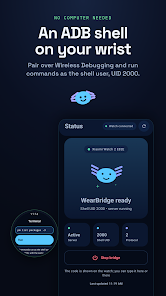
An ADB shell on your wrist. Pair over Wireless Debugging, run commands as the shell user (UID 2000), and decide — on the watch — exactly which partner apps may call which tasks. Nothing runs without you.
A bridge you control
You pair it, you start it, and you approve every partner. Partners never get a raw shell — only the task IDs you allowed for their exact signing certificate.
ADB shell, no computer needed
Pair the watch's own Wireless Debugging service, then run commands as the shell user — the equivalent of adb shell, straight from the wrist.
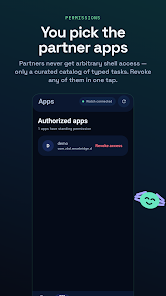
Consent-first partners
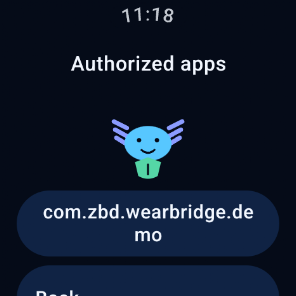
Any app may ask — the watch shows its package name, full SHA-256 certificate and requested task IDs. Nothing runs until you allow it there.
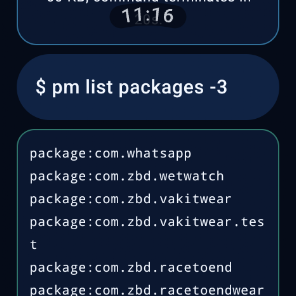
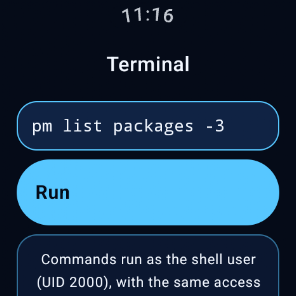
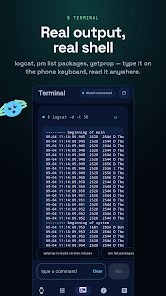
Real terminal on watch + phone
A terminal screen on the watch and a tab in the phone companion. Output capped at 60 KB, commands killed after 20 seconds. Stop the bridge, stop the terminal.
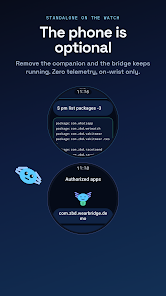
The phone is optional
The companion mirrors status, granted packages and the event log over the Data Layer — and can type the 6-digit pairing code on a real keyboard. It can never grant a permission or start the bridge.
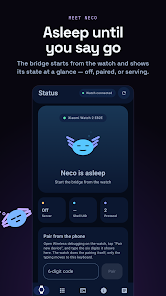
Neco tells you the state
Asleep until you say go: the bridge rests at off, paired or serving — always visible at a glance, with the session token never leaving the watch.
Private by design
No ads, no trackers, no telemetry. A re-signed impostor of a pinned package is rejected outright — unpinned callers stay limited to the read-only catalog.
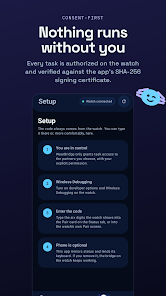
Nothing runs without you
Three explicit steps. The handshake runs on the watch; the phone only helps you type.
1 · You pair it
Enable Wireless Debugging on the watch, enter the IP, port and 6-digit code WearBridge shows. Type it on the phone keyboard if you like.
2 · You start it
Start the bridge on the watch. It mints a 64-hex session token for 127.0.0.1 shell access — partners never see it and can never request it.
3 · You approve it
Each partner request lands on a consent screen with package name and certificate hash. Allow a curated task list, or revoke all of them in one tap.
package:com.zbd.wetwatch
package:com.zbd.vakitwear
A small, typed catalog
No raw shell for partners — only these task IDs, only after consent, only for the pinned certificate.
| Task | Access | What it does |
|---|---|---|
core.ping | read-only | Bridge liveness check |
core.capabilities | read-only | Feature + version report |
core.diagnostics | read-only | On-device diagnostics |
adb.dumpsys | read-only | Fixed dumpsys battery section · 8 KB cap · 3 s timeout |
Companion that stays in its lane
Status, shell identity, granted packages, event log — read-mostly, exactly as it should be.
Shell where your sleeve is
Round-screen terminal and per-app grants, built with Compose for Wear OS.