
Since its inception, Google's Wear OS platform has struggled with a persistent dilemma: battery life versus smart capabilities. Users who wanted rich app ecosystems, interactive maps, voice assistants, and voice typing had to accept smartwatches that needed charging every single night. On the other hand, users wanting multi-week battery life had to settle for basic fitness trackers running proprietary, non-extensible Real-Time Operating Systems (RTOS).
Google solved this problem with a software architecture innovation called the Wear OS Hybrid Interface. Popularized by hardware releases like the OnePlus Watch 2, this dual-chipset technology seamlessly orchestrates two processors running different operating systems simultaneously on a single wrist device. Let's delve into the mechanics of how this hardware-software integration functions and how it delivers up to 100 hours of smart battery life.
The Anatomy of Dual-Chipset Smartwatches
To implement the Wear OS hybrid model, smartwatch manufacturers bundle two distinct processing units inside the watch chassis:
- The Application Processor (AP): This is a high-performance system-on-chip (such as the Qualcomm Snapdragon W5 Gen 1). It has multiple application cores designed to run the full, Android-based Wear OS platform. It handles rich graphics rendering, app startup, GPS navigation, voice recognition, and heavy system calculations. It is fast, but it consumes significant battery when active.
- The Microcontroller Unit (MCU): This is a highly efficient co-processor (such as the BES2700). It runs a proprietary, lightweight RTOS. The MCU consumes a fraction of the power used by the AP. Its main role is to handle basic background processes that run continuously throughout the day without involving the primary processor.
How the Hybrid Software Interface Orchestrates Workloads
Before the hybrid interface was introduced, the AP had to wake up for every single operation—whether syncing a text message, recording a single heart rate reading, or updating the clock tick on the display. This frequent CPU wake cycle, known as "wake locks," prevented the watch from entering deep sleep states, causing rapid battery drain.
The Wear OS Hybrid Interface acts as an intelligent traffic cop, routing requests and scheduling workloads between the AP and MCU based on current activity. When your watch is in its idle state, the heavy Android processor (AP) is shut down or placed in a deep sleep state. The MCU takes over the display and sensor buses completely.
Seamless Hand-offs
The transition between the AP and the MCU is completely invisible to the user. When you raise your wrist, the MCU instantly wakes up the AP within milliseconds. To the user, the interface appears fluid and continuous, with no lag or UI stutters.
| Operation / Event | Active Processor | Power Profile | |
|---|---|---|---|
| Displaying Ambient Watch Face (AOD) | MCU (RTOS) | Ultra-Low Power (Microamps) | AP stays asleep; MCU updates time & steps. |
| Receiving Incoming Notifications | MCU (RTOS) | Low Power | MCU receives bluetooth payload, vibrates, displays text. |
| Replying with Quick Text Templates | MCU (RTOS) | Low Power | Pre-configured replies bypass the main processor entirely. |
| Continuous Heart Rate & Step Counting | MCU (RTOS) | Ultra-Low Power | Biometric sensors stream raw data directly to the MCU. |
| Opening Play Store Apps (e.g. Spotify, Maps) | AP (Wear OS) | High Power (Milliamps) | AP is instantly woken up to run heavy Android code. |
Wear OS 5 and the Watch Face Format (WFF)
A crucial part of making the hybrid interface work is the new Watch Face Format (WFF), co-developed with Samsung. In older Wear OS versions, watch faces were built as custom Android apps containing executable Java or Kotlin code. To render the watch face, the AP had to remain awake, running the Android runtime.
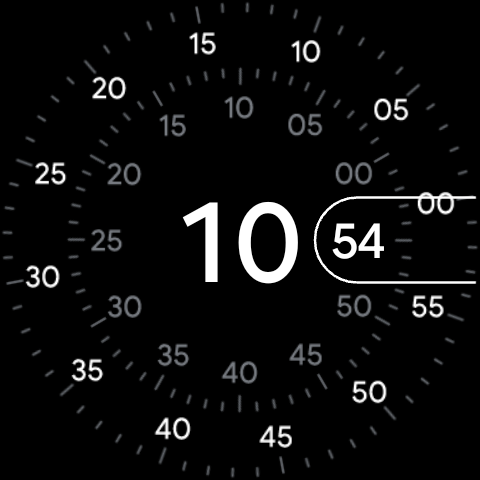
Wear OS 5 deprecates legacy watch face engines, enforcing the XML-based Watch Face Format. Because WFF contains no executable code—it is simply a declarative description of the watch face layout and assets—the MCU can parse it directly and render the display. This allows users to keep always-on display watch faces active all day long while keeping the power-hungry AP completely asleep.
The Ultimate Benefit: 100-Hour Battery Life
By preventing the primary AP from waking up hundreds of times a day, hybrid Wear OS smartwatches can easily double or triple their runtimes. Devices like the OnePlus Watch 2 can run for 3 to 4 full days with all smart features, notification sync, and continuous health tracking enabled. When the battery does run low, these devices can disable the AP entirely and enter a dedicated RTOS "Power Saver" mode, which still offers step tracking, sleep tracking, and heart-rate monitoring for up to 12 additional days.
The Wear OS Hybrid Interface represents a major evolution for wearable technology, successfully combining the power and versatility of Android with the long-lasting performance of RTOS.