
Google's Wear OS platform has seen rapid advancement since the release of Wear OS 3, which marked a major collaboration with Samsung. With the rollout of Wear OS 5 (built on the Android 14 base), the focus shifts from introducing flashy interfaces to optimizing system execution, battery longevity, and visual ease-of-use. For smartwatch users, these under-the-hood performance updates translate directly to a more responsive, reliable wrist companion.
If you own a Google Pixel Watch 3, a Samsung Galaxy Watch 7, or are waiting for the system update on older compatible smartwatch hardware, here is a complete breakdown of the key features, enhancements, and rollouts arriving with Wear OS 5.
1. Workout Power Efficiency: Running Further
The primary concern for smartwatch users is active workout battery drain. Running GPS receivers, reading optical heart rate sensors, and keeping local databases active during a workout consumes substantial power. In Wear OS 5, Google has focused on optimizing sensor activity loops.
According to Google's developers, Wear OS 5 consumes up to 20% less power during a continuous workout compared to Wear OS 4. This means users can track long running workouts or marathons without having to worry about their watch dying before they reach the finish line. This is a game-changer for fitness enthusiasts who rely on standalone smartwatch tracking.
2. Grid-Based App Launcher (A Denser View)
In previous Wear OS versions, opening your apps list triggered a long, single-column vertical scrolling menu. On a round smartwatch screen, this list required constant scrolling. Wear OS 5 introduces a default Grid Launcher.
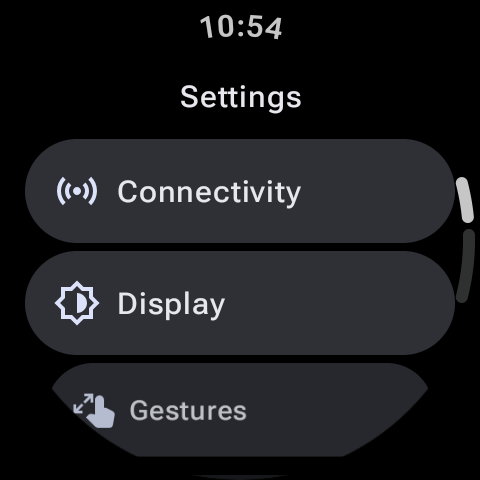
Instead of single text items, the Grid view packs app icons into columns of three, curving them to fit the edges of the circular screen. This denser view allows you to see more applications on a single screen page, letting you tap to launch your tools quickly with much less scrolling. You can still switch back to the classic list launcher in display settings if you prefer the text labels.
3. Quick Audio Output Switcher
Connecting and routing audio streams on smartwatches has historically been clunky. If you wanted to switch music output from your watch's internal speaker to paired Bluetooth headphones, you had to dig through deep Bluetooth settings panels.
Wear OS 5 resolves this by introducing a system-level Audio Output Switcher in the media player panel. When playing audio or podcasts directly from your watch, you can tap the switcher button to immediately select your paired Bluetooth headphones, smart home speakers, or the watch's built-in speaker with a single tap.
4. The Evolution of the Watch Face Format (WFF)
In older watch versions, developers created watch faces using custom layouts that ran active code scripts. While highly dynamic, poorly optimized third-party watch faces were a major cause of background battery drain. Wear OS 5 enforces the Watch Face Format (WFF), co-designed with Samsung.
The WFF is a declarative XML format. This means the watch face design is rendered directly by the Wear OS system processor, which runs it in the most battery-efficient way possible without executing third-party code in the background. Google is transitioning its watch face library to WFF, ensuring that the watch face you select doesn't consume background energy resources.
5. Custom Health Metrics & Privacy Dashes
Under the hood, Wear OS 5 upgrades its Health Services engine. The watch can now capture detailed running dynamics data—including ground contact time, stride length, and vertical oscillation. Additionally, system security is upgraded with screenshot privacy detection, notifying you if a background app captures a screen layout, and a detailed Privacy Dashboard to manage sensor permissions.
| Feature Category | Wear OS 4 (Old) | Wear OS 5 (New Upgrade) |
|---|---|---|
| Battery (Workout) | Standard sensor drain. | Up to 20% power savings. |
| App Launcher Layout | Vertical list only. | Grid icon view (default) and List. |
| Watch Face Engine | Code-based watch faces allowed. | Strict XML Watch Face Format (WFF). |
| Media Routing | Deep Bluetooth connections. | Quick Tap Audio Switcher. |
Should You Upgrade?
Absolutely. Arriving pre-installed on devices like the Pixel Watch 3 and Samsung Galaxy Watch 7, and rolling out as a system update to older models, Wear OS 5 is a polished, battery-saving upgrade. By enforcing efficient watch face structures, packing a dense app launcher, and saving up to 20% power during active tracking, Google has successfully delivered a smartwatch OS that is built for real-world daily endurance.