
Smartwatches are designed to keep us connected, but they also function as excellent mini-consoles during times when connection is unavailable. Whether you are stuck in a deep underground subway system, flying at 35,000 feet, or exploring wilderness trails without mobile signal, your Wear OS smartwatch has enough processor power to keep you entertained. Standalone offline games are designed to run fully local on the watch, requiring zero phone connectivity or active Wi-Fi.
In this roundup, we explore the top 10 standalone offline games for Google's Wear OS platform. These titles have been optimized to fit the circular screens of modern Wear OS devices like the Samsung Galaxy Watch, Google Pixel Watch, and TicWatch, providing responsive touch controls or tactile physical bezel rotations.
Why Play Offline Games on Your Wrist?
Standalone offline gaming on a smartwatch offers unique advantages. Unlike phone games, watch games can be accessed with a simple twist of the wrist. They are built for short, casual gaming loops that don't drain your phone battery or demand both of your hands. They provide a quick mental break without the rabbit hole of notification distractions that opening your phone usually brings.
Top 10 Standalone Wear OS Games That Work Offline
1. Lifeline (Interactive Text RPG)
Lifeline is a masterpiece of minimalist storytelling. You play the role of a communications operator who receives a distress signal from Taylor, the sole survivor of a crash landing on an alien moon. Your job is to guide Taylor through dangerous survival choices. Since the game progress occurs through text choices and timed updates, it translates perfectly to the small screen of a Wear OS watch. The game runs completely offline once downloaded and offers a gripping narrative that feels incredibly immersive on a wearable.
2. Combat Wear (Retro Pixel Art RPG)
If you love classic role-playing games, Combat Wear is a fantastic, fully-fledged pixel art RPG tailored specifically for smartwatches. You manage a hero, upgrade your castle, fight monsters in turn-based combat, and explore dungeons. The pixel graphics are charmingly sharp, and the grid-based movement works surprisingly well on circular screens. It features offline play, auto-saving, and deep strategy elements that you rarely find on smartwatches.
3. 2048 for Wear OS
The legendary sliding block puzzle game 2048 is arguably the most natural fit for a watch screen. Using simple swipe gestures (up, down, left, right), you slide numbered tiles across a grid to merge them, trying to reach the elusive 2048 tile. Because it doesn't require fast reflexes or complex UI controls, it's the ultimate choice for a quick, calm puzzle session while waiting in line.
4. Cosmo Run
Cosmo Run is a fast-paced, timing-based arcade game where you control a beam of energy navigating a dynamic, neon-lit grid. The player must tap the screen at precise moments to make 90-degree turns along a shifting pathway. One false move and you fall into the void. It’s challenging, beautiful, and completely offline, making it a great title to test your concentration and reflexes.
Bezel Control Tip
For smartwatches with physical or virtual rotating bezels, like the Samsung Galaxy Watch series, look for games that support rotary inputs. Using the bezel prevents your fingers from blocking the tiny screen while playing!
5. Wear Maze (Labyrinth)
Remember the wooden labyrinth games where you tilted a board to roll a steel ball past holes? Wear Maze replicates this experience using your watch's built-in accelerometer or touch drag controls. You navigate through progressively complex, maze-like levels to find the exit. It runs smooth as silk offline and is highly satisfying to solve.
6. PetQuest (Virtual Pet Simulator)
If you miss the Tamagotchi days of the 90s, PetQuest is the perfect virtual pet companion for your wrist. Feed, play with, and clean up after your pixelated pet. The game runs locally, meaning your pet's life cycle and needs update even when your phone is turned off. It’s an adorable, nostalgic offline game that requires only a few seconds of interaction at a time.
7. Galaxy Invaders (Retro Space Shooter)
Take control of a lone spaceship defending the galaxy from swarms of alien ships. Galaxy Invaders brings classic arcade shooting action to Wear OS. You slide your finger on the screen or rotate your bezel to move your ship side-to-side, while the ship automatically fires at incoming waves. The game runs locally with smooth framerates and retro audio effects.
8. Snokie (Retro Skiing)
Snokie is a minimalist skiing game where you guide a skier down a snowy mountain slope, dodging trees, rocks, and Yeti monsters. Tapping the screen changes your skier's direction. The speed increases the longer you survive, testing your split-second decision-making. It's a quick, light download that is highly addictive.
9. Tic-Tac-Toe
Sometimes simple is best. This clean Tic-Tac-Toe implementation lets you play quick rounds against an AI or a friend next to you using passing controls. With three difficulty levels, it's a great offline mental micro-workout that takes absolutely zero effort to learn.
10. Wear Droid
Wear Droid is a physics-based puzzle platformer where you guide a little robot through rotating gears and platforms. You tap to jump and time your movements perfectly to avoid falling or getting crushed. The physics engine is surprisingly robust, and it proves that Wear OS is capable of running structured, physics-driven platformers completely standalone.
Game Feature Comparison
| Game Title | Genre | Control Type | Best For |
|---|---|---|---|
| Lifeline | RPG / Narrative | Text Choices | Deep storytelling |
| Combat Wear | RPG / Strategy | Grid Touch | Long-term progression |
| 2048 | Puzzle | Swipe | Casual mind exercise |
| Galaxy Invaders | Arcade / Action | Touch / Bezel | Fast reflexes |
Tips to Optimize Your Watch for Offline Gaming
While Wear OS games are designed to be lightweight, running them will drain your battery faster than normal usage. To maximize your gaming sessions without leaving you with a dead watch, keep these tips in mind:
- Turn on Airplane Mode: Since these games are 100% offline, enabling Airplane Mode shuts down the cellular, Wi-Fi, and Bluetooth radios, conserving a massive amount of battery power.
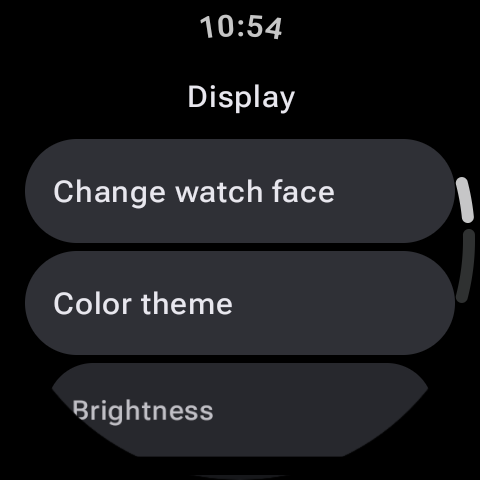
- Adjust Screen Brightness: Reduce your screen brightness manually, especially when playing indoors, to keep display power draw to a minimum.
- Disable Always-on Display: Make sure the screen turns off fully when you drop your wrist so the game doesn't run in active rendering mode when you aren't looking.
Final Thoughts
Your Wear OS smartwatch is more than just a notifier. With these excellent offline standalone games, your watch is ready to transform into a gaming companion at a moment's notice. Head to the Google Play Store on your smartwatch, search for these titles, and ensure you have them installed before your next commute or long flight!