
Samsung Galaxy Watches—including the Galaxy Watch 4, 5, 6, 7, and Ultra—pack a sophisticated array of environmental sensors. Among these are a magnetometer (compass) which measures heading relative to the Earth's magnetic field, and a barometer which measures atmospheric air pressure. The barometer performs double duty: it tracks local weather changes and calculates altitude changes (functioning as an altimeter) by measuring how air pressure drops as you climb.
However, because these sensors measure highly dynamic physical fields, they suffer from drift. The compass is easily confused by electromagnetic fields generated by office desks, speakers, cars, or metal watch bands. Meanwhile, the barometer is affected by moving from air-conditioned buildings to hot outside air, storm fronts, and air travel. If your map is pointing the wrong way or your watch says you are swimming below sea level when you're on a hill, it is time for a calibration.
Understanding the Galaxy Watch Sensors
Before jumping into the calibration steps, it helps to understand what these sensors do and how often they need adjustment:
| Sensor | Primary Metric | Interference Source | Calibration Trigger |
|---|---|---|---|
| Compass (Magnetometer) | Cardinal direction (Heading) | Magnets, steel, electronic wiring. | Incorrect direction indicators on Google Maps. |
| Barometer | Atmospheric pressure (hPa) | Weather changes, air conditioning. | Inaccurate storm or weather alerts. |
| Altimeter | Relative elevation (Feet/Meters) | Barometer drift, changing air pressure. | Incorrect elevation tracking during hikes. |
How to Calibrate the Compass on a Galaxy Watch
Magnetic sensors are extremely sensitive. If your compass tile shows a warning reading "Calibrate Compass" or the direction needle swings erratically, follow these steps:
- Ensure you are standing away from large metal objects (such as cars, steel desks, or computers) and electronic appliances. Do not wear a watchband containing strong magnetic clasps (like a Milanese loop) during calibration.
- Open the Compass app on your watch (or swipe to the Compass tile).
- If the watch detects drift, it will automatically present a graphic showing a hand moving a watch in a rolling motion.
- Hold the watch securely on your wrist or in your hand.
- Perform the "Figure-8" gesture: swing your arm in a smooth, continuous figure-8 pattern while rotating your wrist side to side at the same time. You are essentially pointing the watch toward all directions of the three-dimensional plane.
- Repeat this motion for 10-15 seconds until the calibration graphic disappears and the compass shows your active degree heading.
Pro Tip: Clearing the Barometer Port
If your barometer measurements are completely static or show an error, check the physical sensor inlet. The barometer reads pressure through a microscopic pinhole usually located on the side or rear of the watch chassis (check near the sensor dome or side buttons). If sweat, body oil, or soap has dried inside this port, the sensor cannot read atmospheric pressure. Do not insert needles or wires into this port! Instead, submerge the watch in warm fresh water for 5 minutes and let it air dry.
How to Calibrate the Barometer & Altimeter
Because elevation calculations are directly derived from atmospheric air pressure, altimeter calibration requires establishing a baseline pressure or elevation coordinate.
- Open the Compass app on your watch and swipe down past the compass dial. This will display your active altitude and barometric pressure.
- Scroll to the bottom of the screen and tap on Manual calibration (or Calibrate depending on Wear OS version).
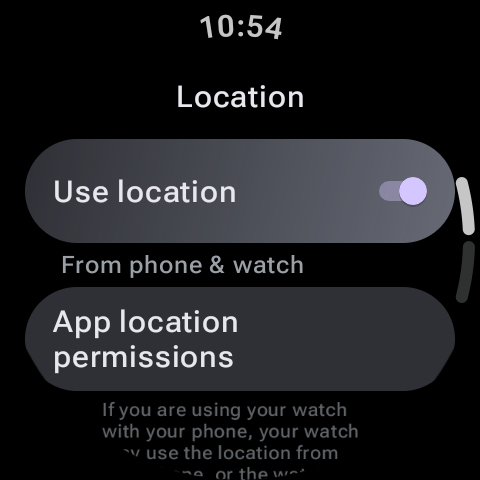
- If you have an active Wi-Fi or LTE connection and have authorized location permissions, tap Auto calibrate. The watch will query local meteorological databases for the exact sea-level pressure at your GPS coordinates and calibrate itself.
- If you are offline, you can manually enter the parameters. Check a topographic map for your exact altitude (e.g. 500 feet above sea level) or check a weather report for the exact local barometric pressure. Enter this baseline value, and the altimeter will adjust itself accordingly.
Summary
Sensors are critical for outdoor adventures. By executing a simple figure-8 gesture to reset the compass, manually establishing a baseline altitude for the altimeter, and keeping the physical sensor ports clear of dirt, you can guarantee precise navigation and tracking on your Galaxy Watch.