
The Wear OS ecosystem has experienced a massive renaissance over the past few years, largely driven by a partnership between Google and Samsung. Today, if you are looking to purchase a premium smartwatch to pair with an Android device, your choice will likely come down to two heavyweights: the Samsung Galaxy Watch and the Google Pixel Watch.
While both devices run Wear OS and support similar apps, their designs, health ecosystems, software overlays, and integrations differ significantly. In this head-to-head comparison, we analyze the strengths and weaknesses of each platform to help you decide which belongs on your wrist.
Design and Aesthetics: Rugged Utility vs. Minimalist Elegance
The visual differences between the two watches are immediate. Samsung and Google have targeted two entirely different design paradigms.
Samsung Galaxy Watch (Standard & Classic/Ultra Models)
Samsung watches are built with traditional horology in mind. They feature flat screens protected by raised metal bezels (and a physical rotating bezel on the Classic models). This raised ring makes them highly durable, protecting the glass from accidental side impacts against walls or gym equipment. They are available in multiple sizes (typically 40mm and 44mm, up to 47mm), offering better options for different wrist sizes.
Google Pixel Watch
Google has embraced a organic, minimalist aesthetic. The Pixel Watch features a unique 3D domed Gorilla Glass screen that flows seamlessly into a recycled aluminum or stainless steel case. It resembles a droplet of water on the wrist. While stunning and elegant, the exposed glass makes the Pixel Watch more susceptible to scratches and cracks if bumped. It is traditionally offered in a single 41mm size (though newer versions offer a 45mm option).
Software: One UI Watch vs. Clean Wear OS
Underneath the hood, both run Google's Wear OS, but their user interfaces are distinct.
Ecosystem Lockout Warning
Some advanced Samsung features (like ECG, blood pressure monitoring, and custom BIA body composition metrics) require the Samsung Health Monitor app, which is exclusive to Samsung Galaxy smartphones. If you pair a Galaxy Watch with a Pixel or OnePlus phone, these specific health sensors will be locked out unless you use unofficial app workarounds.
- Samsung's One UI Watch: A feature-dense, skin-heavy operating system that replicates the layout of Samsung's smartphones. It features a horizontal app drawer and is packed with additional options, backup tools, and quick settings toggles.
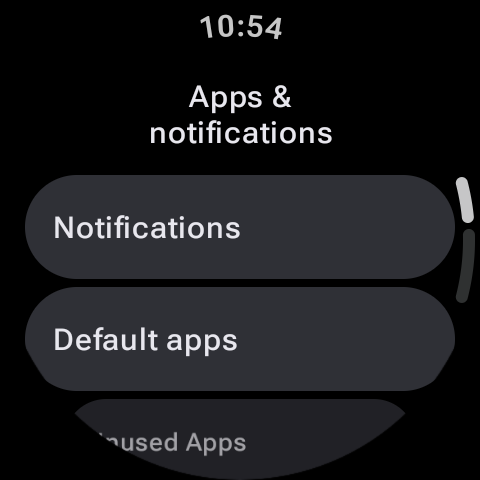
- Google's Stock Wear OS: A clean, minimalist interface. Navigating the Pixel Watch is fast and intuitive, relying on simple vertical scrolls and featuring Google's standard Material You design language.
Health and Fitness: Samsung Health vs. Fitbit Integration
Your fitness metrics are stored and processed differently depending on the watch you choose.
| Feature Comparison | Samsung Galaxy Watch | Google Pixel Watch |
|---|---|---|
| Health Platform | Samsung Health (Free) | Fitbit (Free, Premium tier available) |
| Special Sensors | BIA Body Composition, Blood Pressure | Continuous EDA (Stress Tracking) |
| Heart Rate Tracking | Intermittent or continuous tracking | Continuous per-second tracking (very accurate) |
| GPS Precision | Dual-band GPS (on newer models) | Single or Dual-band (model dependent) |
Samsung Health is completely free and excels at body metrics, giving you readouts of body fat percentage, skeletal muscle, and water retention using its Bioelectrical Impedance Analysis (BIA) sensor. The Pixel Watch relies on Fitbit's industry-leading sleep and stress tracking algorithms. While Fitbit offers deep insights, some historical data trends and advanced coaching recommendations require a monthly Fitbit Premium subscription.
Battery Life and Performance
Battery longevity remains a crucial consideration for smartwatch owners. In general, Samsung's larger casings house larger physical battery units, allowing Galaxy Watches (especially the larger sizes) to comfortably last 36 to 48 hours on a single charge. The Google Pixel Watch is notoriously power-hungry due to its continuous heart-rate tracking and slim profile, generally requiring a charge every 24 hours.
The Verdict: Which is Right for You?
Your choice should align with your smartphone ecosystem and personal style:
Buy the Samsung Galaxy Watch if: You own a Samsung Galaxy smartphone, prefer a rugged and traditional watch design, want detailed body composition metrics, and demand multi-day battery life.
Buy the Google Pixel Watch if: You own a Google Pixel phone, appreciate sleek and minimalist jewelry-like design, prefer the Fitbit ecosystem for fitness tracking, and do not mind charging your watch daily.