
It's one of the most common questions in the smartwatch community: "I use an iPhone, but I prefer the round design and price point of Android smartwatches. Can I connect a Wear OS watch to iOS?"
The short answer is: It depends entirely on the version of Wear OS running on the watch. While older watches could pair with iPhones, newer platforms have dropped iOS support. In this guide, we'll cover compatibility guidelines, pairing steps for supported devices, and the feature limitations you will encounter when using an Android watch in Apple's closed ecosystem.
Compatibility Breakdown: Android vs. iOS
When Google launched Wear OS 3 (co-developed with Samsung), the platform shifted from a unified app to manufacturer-specific companion apps. Consequently, iOS support changed significantly:
- Wear OS 3, 4, and 5 (Incompatible with iOS): Devices like the Samsung Galaxy Watch 4, 5, 6, 7, and Ultra, and the Google Pixel Watch 1, 2, and 3 cannot be connected to an iPhone. The companion apps required to set up these devices (such as the Galaxy Wearable and Pixel Watch apps) are only available on the Google Play Store and do not exist on the Apple App Store. There are no official workarounds.
- Wear OS 2 and Older (Compatible with iOS): Watches running Wear OS 2.x or below (such as the Fossil Gen 5, Moto 360 Gen 3, and older TicWatches) can still connect to iOS devices using the official Wear OS app on the Apple App Store.
Compatibility Summary
If you own an iPhone, do not buy a Google Pixel Watch or a Samsung Galaxy Watch 4 or newer. These devices require Android and cannot be initialized or synced with iOS.
How to Connect a Compatible Watch to iOS
If you have a Wear OS 2 device, follow these steps to pair it with your iPhone:
- Open the App Store on your iPhone, search for "Wear OS by Google", and install the application.
- Ensure Bluetooth is enabled on your iPhone settings.
- Turn on your smartwatch and select your language. If it was paired previously, you must factory reset the watch first.
- Launch the Wear OS app on your iPhone and tap Set it up.
- Select the name of your watch from the list of nearby Bluetooth devices and match the 6-digit verification codes displayed on both screens.
- Follow the prompts on your iPhone to sign in with your Google Account and grant permission to sync notifications.
Key Limitations of Wear OS on iOS
Even if you pair a compatible watch, Apple's iOS sandbox restrictions limit how third-party smartwatches can interact with system processes. Here is what to expect:
| Feature | Status on Android | Status on iOS |
|---|---|---|
| Notification Mirroring | Full (displays all notifications) | Full (displays all notifications) |
| Replying to SMS/iMessages | Full keyboard, voice, and template replies | Blocked (Read-only notifications due to Apple API limits) |
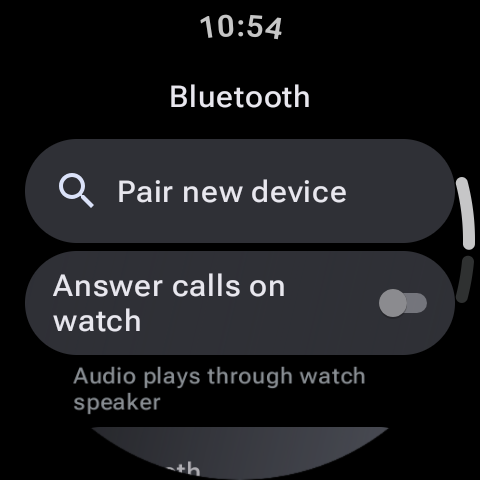
| Answering Phone Calls | Accept, reject, and talk on watch | Blocked (Can reject, but answering defaults to iPhone earpiece) |
| Voice Assistant | Google Assistant / Bixby | Google Assistant (Runs within watch app; cannot trigger iOS tasks) |
| Fitness Syncing | Syncs with Google Fit, Samsung Health, etc. | Syncs with Google Fit app on iOS only (cannot write to Apple Health) |
Better Alternatives for iPhone Users
If you use an iOS device and prefer circular screens, consider these alternatives to Wear OS:
- Garmin Smartwatches: Devices like the Garmin Venu or Fenix offer excellent iOS compatibility, sending health logs to Apple Health and displaying alerts reliably.
- Hybrid Smartwatches: Brands like Withings or Fossil Hybrid feature physical watch hands over small E-ink screens. They offer excellent battery life and integrate smoothly with iPhones.
- Apple Watch: For the best iOS experience, the Apple Watch remains the most integrated option, supporting text replies, calls, and Siri routines.
While older Wear OS watches can pair with iPhones, the feature limitations make it a compromised experience. For newer devices, iOS compatibility has been dropped entirely in favor of deep integration with the Android ecosystem.
Whichever side of the fence you land on, you don't have to choose between great apps. ZBD builds for both worlds — our smartwatch apps ship for Apple Watch (watchOS) and Wear OS alike, so the experience comes with you regardless of the phone in your pocket.