
Developing new habits—whether that means drinking more water, reading daily, practicing mindfulness, or stretching after work—is a challenge in behavioral psychology. The key to successfully adopting a new habit is reducing friction. If registering a completed habit requires finding your phone, unlocking it, and opening a complex database app, you are far more likely to abandon the routine within a few days.
This is where your Wear OS smartwatch becomes a secret weapon. Because it lives on your wrist, checking off a habit takes less than two seconds. By receiving timed haptic reminders and using complications on your watch face, you can maintain continuous awareness of your daily goals. Let's look at the best habit-tracking apps for Google's Wear OS platform (compatible with the Samsung Galaxy Watch, Google Pixel Watch, and other modern smartwatches).
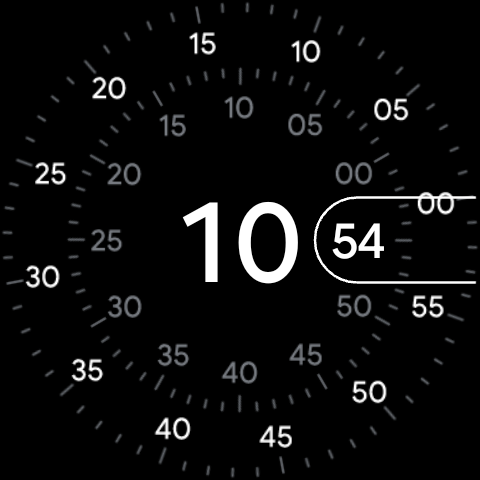
The Advantage of Wearable Habit Trackers
Smartwatch habit tracking shifts behavioral reinforcement from reactive to proactive. Instead of reviewing your achievements at the end of the day, you receive gentle vibrations on your wrist reminding you to perform a task. Checking off a habit is instantly satisfying, and having visual progress wheels right on your watch face provides a continuous sense of accomplishment throughout the day.
Top Wear OS Habit Trackers Reviewed
1. Loop Habit Tracker (Open Source & Minimalist)
Loop Habit Tracker is a highly regarded, completely open-source habit manager. It features a clean, ad-free interface and is designed with extreme battery efficiency in mind. The Wear OS companion app is simple and functional: it displays a scrollable checklist of your active habits for the day. Tapping a habit toggles its state to "Complete" with a satisfying haptic vibration. Loop also provides a dedicated Wear OS Tile, letting you check off your tasks without even opening the main application.
2. Habitica (Gamified RPG Habit Tracker)
If you respond well to gamification, Habitica is a fantastic choice. It transforms your real life into a retro role-playing game. You create a character and earn experience points (XP) and gold when you complete real-world habits. If you fail to perform your daily tasks, your character loses health points (HP). The Wear OS app allows you to view your checklist, check off completed habits, and monitor your hero's health and mana bars directly from your wrist.
3. Streaks
Streaks is a highly visual habit logger designed around the concept of "streaks" (consecutive days of completion). Its Wear OS interface is exceptionally clean, displaying habits as circular progress wheels. You can track up to 12 habits at a time. The app integrates with Google Health Connect, allowing it to automatically check off fitness habits (like walking 10,000 steps or exercising for 30 minutes) based on your smartwatch's built-in sensors.
4. TickTick (Task Manager & Habit Tracker)
While TickTick is primarily known as a powerful To-Do list manager, it features an excellent, fully integrated habit tracking module. The Wear OS app is highly polished, supporting interactive habit check-ins, custom notifications, and detailed statistics. Tapping a habit on your watch displays your current streak count and calendar history, keeping you highly motivated.
Pro Tip: The Power of Complications
Most habit apps support Wear OS complications. Place a habit indicator directly on your watch face. Seeing a half-empty circle next to the time is a subtle, constant reminder to drink water or stand up, keeping you accountable without being intrusive.
Habit Tracking App Feature Comparison
| App Name | Wear OS Tile | Health Integration | Gamification | Best For |
|---|---|---|---|---|
| Loop Habit Tracker | Yes | No | No | Clean, open-source minimalism |
| Habitica | No | No | Yes (RPG style) | Gamified motivation |
| Streaks | Yes | Yes (Health Connect) | No | Visual progress circles |
| TickTick | Yes | No | No | All-in-one task & habit management |
How to Setup a Successful Habit Loop on Wear OS
To maximize your success, structure your smartwatch configurations to support your psychological habit loop:
- Keep it Small: Start by tracking no more than 3 simple habits at once. Cluttering your watch checklist leads to alarm fatigue.
- Schedule Timed Notifications: Set reminders in your mobile app. Configure them to push to your watch at times when you can actually perform the action (e.g. "Stretching" at 6:00 PM).
- Add the App Tile: Move your habit tracking tile to position 1 or 2 in your carousel (immediately to the right of your home watch face) to make logging effortless.
Final Thoughts
Smartwatches are the ultimate tool for behavioral conditioning. By moving your habit checklist to your wrist, you eliminate the friction that causes tracking systems to fail. Whether you prefer the clean open-source simplicity of Loop, the gamified RPG progression of Habitica, or the health-linked automation of Streaks, your Wear OS smartwatch is ready to help you build a better version of yourself. Download an app today, set up your tiles, and start building better habits!